
START Nuremberg for  Founders Builders Innovators Entrepreneurs Dreamers  · July 15, 2026 · Stadthalle Fürth

Start with a loop.

Three months ago I closed a talk with that line. Now the word means at least four different architectures. Tonight: separate the hype from the mechanism, then design a /loop that doesn’t just spin.

QR code: start-with-a-loop.bett.ag start-with-a-loop.bett.ag
Outline

What we will cover before Q&A

~4 min · Recap What happened after “start with a loop”
~4 min · Vocabulary Execution, task, product, system — four things called “loop”
~6 min · The primitive /loop — four modes, one file that matters
~7 min · Design How to build a loop that actually improves
~10 min Q&A
One thesis: a loop without its signal does not converge. It just runs. Everything tonight either names the loop, names the signal, or names the human checkpoint.
Who I am · the short version

Franz Bettag Polyglot engineer since 2001

25 years of consulting for enterprise to Fortune 500. On-prem, cloud, AI, security, and development — paid projects in 30+ languages before AI came around.

Bettag Systems logo
On-Prem & Cloud, AI & Security Engineering for Enterprise to Fortune 500
Most notable for the German market kleinanzeigen.de

Sole IT Engineer next to the CEO. Re-developed the platform from 2014–2019 serving 30M+ monthly users, then exited to eBay.

Wall Street HFT block-trade optimization

Tasked to fix a critical performance bottleneck. Found a $2M+ accounting error while rewriting the system. Cut monthly job runtime from 2+ hours to 5 minutes.

Fashion @ Scale Nordstrom / HauteLook

Rebuilt flash-sale push notification infra for the largest fashion retailer in the US. 10M+ concurrent pushes, delivery cut from 2 days to under 10 minutes.

Franz Bettag profile photo
Family lore

If you recognize my last name, it’s probably because my grandfather invented the BobbyCar and was the founder of BIG Spielwaren.
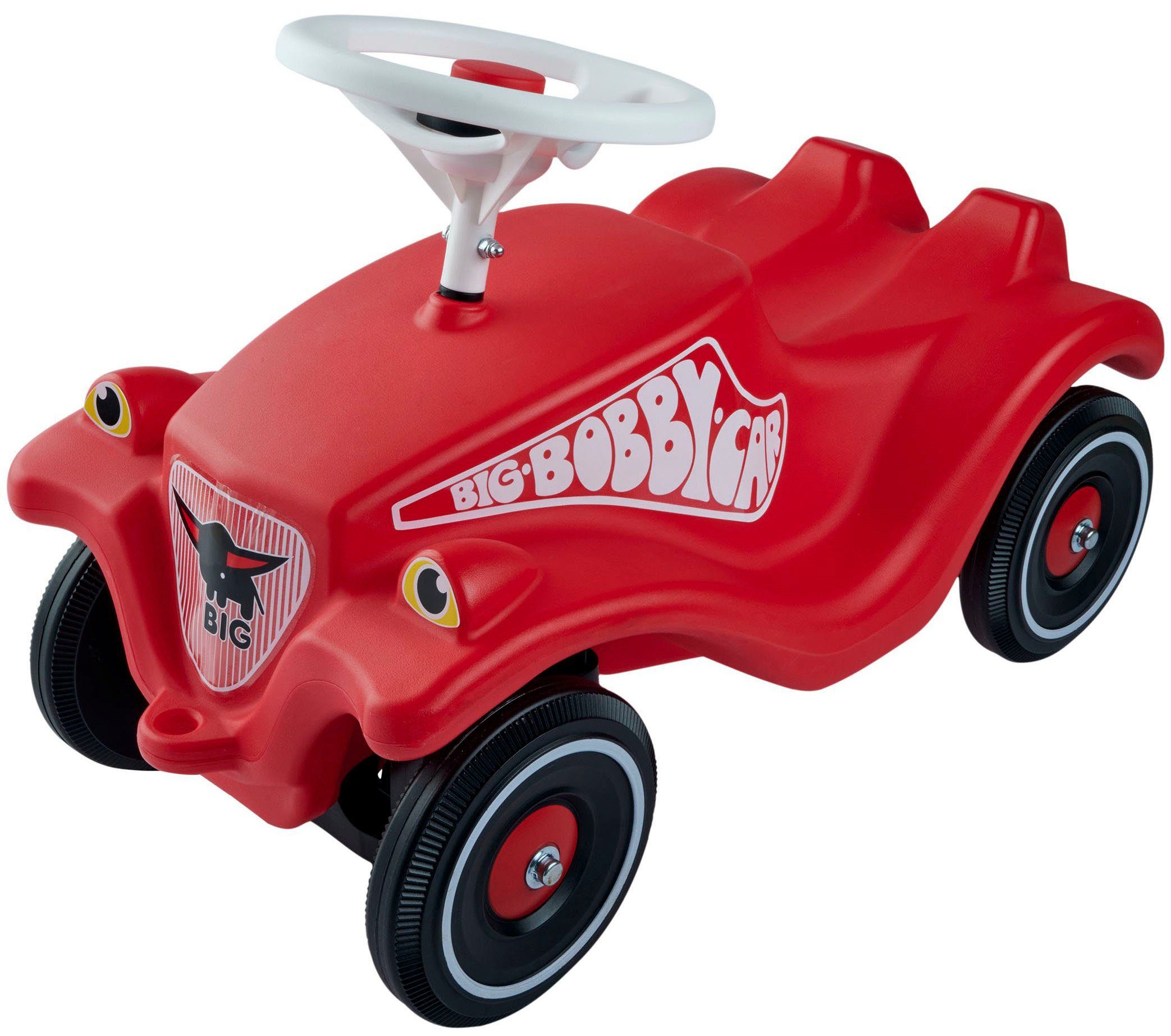
BIG Bobby Car — where it all started
Recap · Q1 2026 was a use case

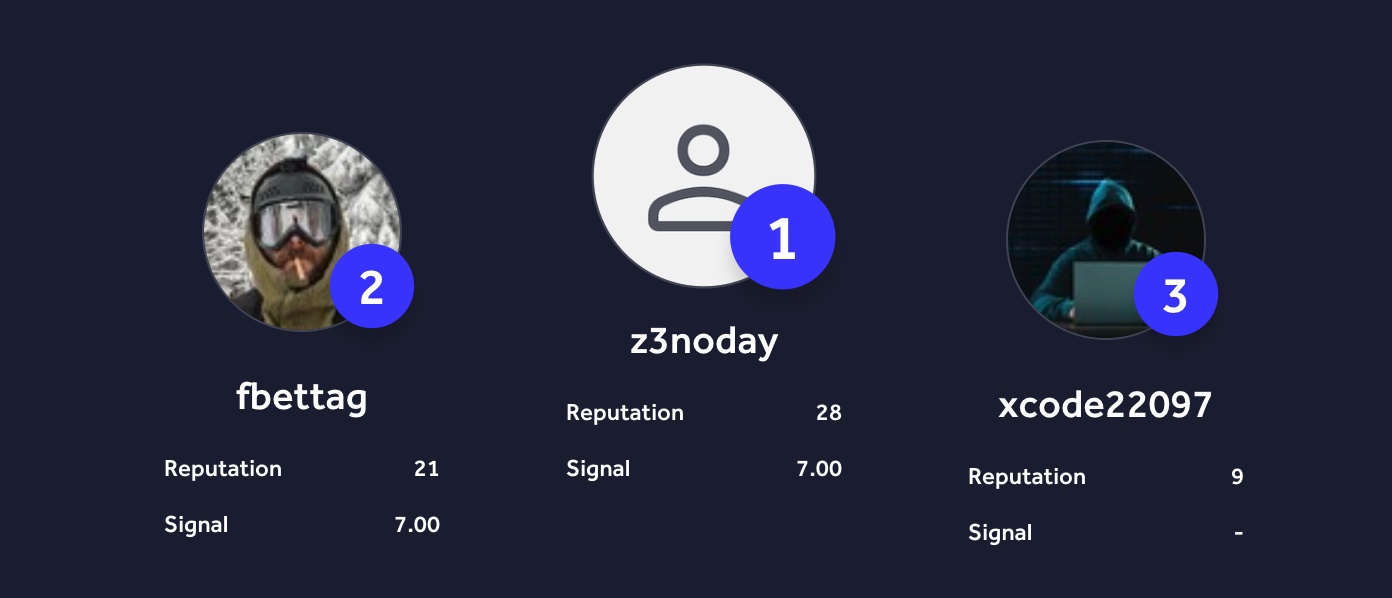
3 months on HackerOne, to prove the pattern.

Jan–Mar 2026 only. I picked vulnerability research as a hard, noisy, adversarial domain — if the loop pattern held there, it would hold anywhere.
CVE Keycloak CVE‑2026‑1190
Critical fix 2x ClickHouse RBAC bypass
Subdomain takeover → SIP/VoIP Opera
Subdomain takeover 3x Amazon VDP, OANDA
Valid finding Ruby on Rails
HackerOne Germany VDP leaderboard Q1 2026
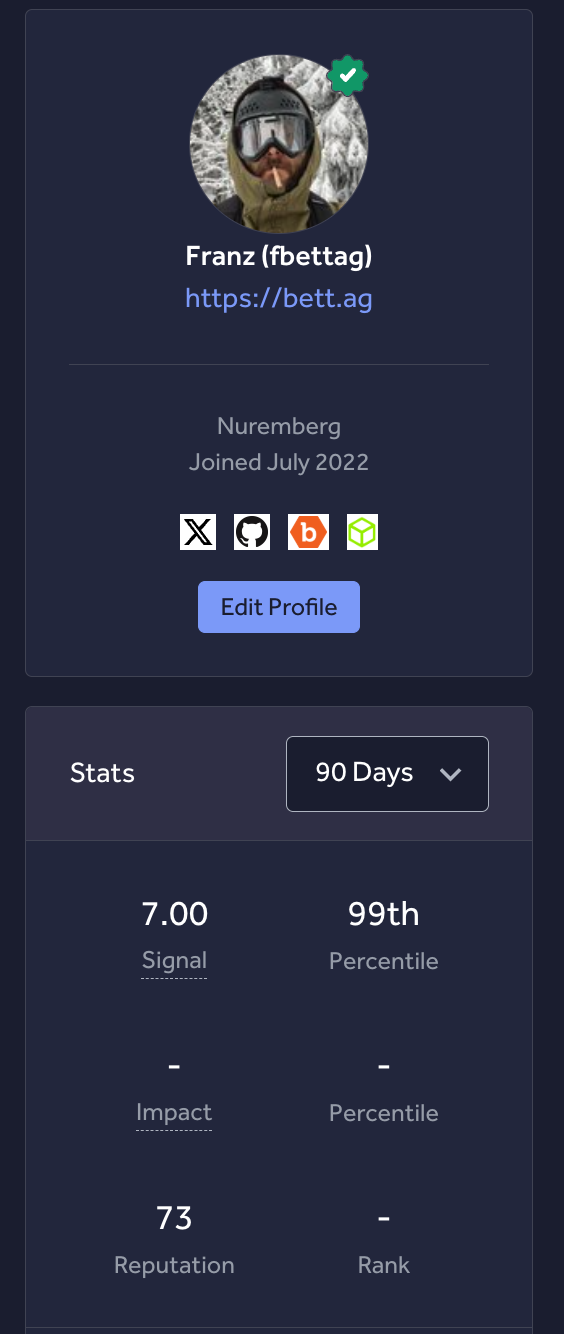
HackerOne profile stats
Recap · Q2 2026

Then I stopped. Bug bounty isn’t my job.

01

The pattern worked

Loop with validation gates beat ad-hoc prompting on the hardest domain I could find.

02

The point was the architecture

Separate personas, hard gates, feedback. The CVEs were artifacts of that, not the goal.

03

So I redeployed the loop

Same architecture, different domains: SaaS development, SEO, paid ads, infra automation.

04

That’s what tonight is about

Not security. The mechanism underneath — /loop as a Claude Code primitive.

A use case is something you stop doing once it’s proven. A pattern is something you keep using.
April 16, 2026 · My last slide

Don’t start with one giant prompt. Start with a loop.

I didn’t know this would become a thing.

Validation from the source

Boris Cherny, Claude Code lead engineer
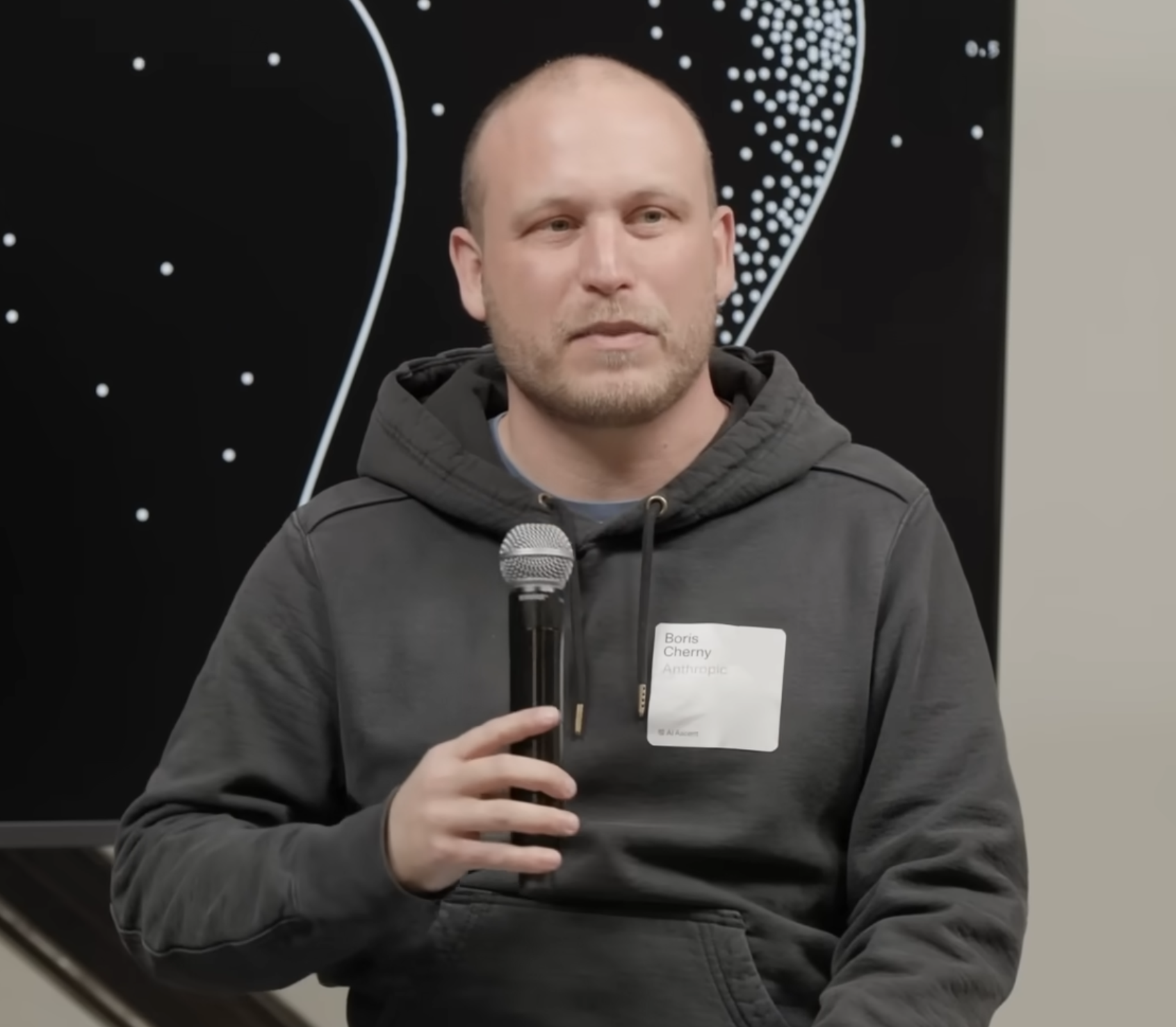
Boris Cherny on the Claude Code loop
“I only write loops.”
First: the word is overloaded

Four architectures are hiding behind “loop”

01

Execution loop

Act, observe, decide, repeat inside one task. Tool results and environment feedback close it.

02

Task loop

Restart the agent against the same spec until tests and compliance pass. Fresh context is the feature.

03

Product loop

Triage, spec, implement, review, verify, ship, monitor. The software factory around the codebase.

04

System loop

Autoresearch over the factory itself: prompts, harnesses, model choices, evals, and feedback filters.

The loop humans should keep

Autonomy is a dial on every layer.

You can run a fully autonomous execution loop inside a heavily supervised product loop. The engineering question is not “auto or not.” It is where the checkpoint belongs.

Set goals. Decide which outcome is worth pursuing before agents optimize locally.
Allocate budgets. Time, tokens, risk, blast radius, and human review capacity.
Cull work. Stop loops that produce activity without durable signal.
Oversight loop
goals, budget, cull
System loop
evals, prompts, harnesses
Product loop
backlog, review, deploy
Task loop
spec, tests, done
Execution loop
act, observe, decide
The primitive

/loop has four modes

Bundled skill, ships with Claude Code. Session-scoped, restored on --resume. Also invokable as /proactive per the docs.
Fires between turns, never mid-response. If Claude is busy, it waits for idle. No catch-up on missed fires.
Both the interval and the prompt are optional. What you supply determines which of four modes you get.
Mode 1 · Fixed interval

/loop 5m check the deploy — cron-scheduled, your prompt fires on every tick.

Mode 2 · Dynamic self-paced

/loop check whether CI passed — Claude picks the next interval each iteration. 1 min to 1 hour.

Mode 3 · Bare (maintenance)

/loop alone — runs the built-in maintenance prompt, or .claude/loop.md if you have one.

Mode 4 · Nested skill

/loop 30m /review-pr 1234 — re-run a saved skill on a schedule.

Practical patterns

Three loops you can run before this talk ends

Light · polling /loop 5m check if the deploy at port 3000 returns 200

Tell me when state changes. Stop reading the GitLab UI every two minutes.

Composed · loop × skill /loop 30m /review-pr 1234

A skill that knows how to review the PR. The loop just supplies the cadence. Skills compose; intervals don’t.

Dynamic · self-paced /loop check whether CI passed and address review comments

No interval. Claude decides: tight while CI is running, long when the PR goes quiet. Can also exit on its own when the work is “provably complete.”

The underrated primitive

.claude/loop.md is where it gets interesting.

Bare /loop looks for .claude/loop.md (project) then ~/.claude/loop.md (user). First match wins.
Plain Markdown. Write it like a prompt. Up to 25 KB — longer gets truncated.
Edits take effect on the next iteration. You can refine the instructions while the loop is running.
And so can the agent. If iteration N edits loop.md, iteration N+1 reads the new version. That is the only honest “self-improvement” mechanism in the primitive.
; .claude/loop.md
Check the `release/next` PR.
If CI is red, pull the failing job log,
diagnose, and push a minimal fix.
If new review comments arrived,
address each one and resolve the thread.
If everything is green and quiet,
say so in one line.
The prompt arg is constant. The file is variable. That distinction is most of the design space.
Side by side · two primitives, not two products

/loop vs /goal

/loop — cadence-driven
✳ Claude Code ✶ Grok Build

Start: /loop [interval] [prompt]. Both args optional.
Rhythm: a clock tick, a dynamic self-paced delay, or whatever your nested skill needs.
Stops: Esc while waiting, or Claude self-ends in dynamic mode.
You design: the interval, the prompt, the exit condition, and what each iteration leaves behind.

Best when the work is ongoing and you want it to keep getting better.
When I use it

Anything where others would reach for OpenClaw, Hermes Agent, or OpenFang. I design it, refine loop.md, and tune it until it’s an autonomous process most of the time.

/goal — condition-driven
✳ Claude Code ◆ Codex CLI ✶ Grok Build

Start: /goal <condition> — up to 4,000 chars in both CLIs.
Rhythm: no clock. The agent keeps taking turns until the condition holds.
Claude Code: a separate fast model judges the condition after every turn — fresh eyes, not the model doing the work.
Codex: objective persists across the thread; pause / resume / clear.

Best when the work has a destination and you want it reached.
When I use it

One-off problems with a clear finish line. /goal build me a Rust version of Age of Empires 2, called OpenRAge.”

The thesis
A loop without its signal
does not converge.
It just runs.
Designing the loop

The prompt is the constant. The world is the variable.

01
Each iteration must leave an artifact

Memory entry, code change, edited loop.md, log line. If iteration N changes nothing, iteration N+1 runs against the same world.

02
The artifact must be readable next iteration

Write to CLAUDE.md, MEMORY.md, the repo, or loop.md itself — not chat scrollback.

03
Pair the loop with a signal

The loop fires; the signal (test, lint, HTTP probe, eval, review, production trace) decides whether the artifact survives. No signal = drift.

04
Name the checkpoint before the cadence

Who gets paged, who approves the merge, who kills the run? Cadence is cheap. Ownership is the design.

When loops fail

Three ways a loop stops being useful

01

Thrash

Interval too short for the work. The next iteration starts before the last artifact is ready. You burn tokens on context that hasn’t changed.

02

Drift

No named signal. The loop keeps running after the task is done; you trust it to notice. It does not. The 7-day expiry is your safety net, not your design.

03

Ghost work

Each iteration looks useful in the transcript but writes nothing durable. The loop is busy. The world is the same as it was an hour ago.

If you can’t name the artifact each iteration leaves behind, and the signal that accepts or rejects it, you don’t have a loop — you have a polling script.
Limits

/loop is session-scoped. Know when to reach past it.

Session-scoped. Tasks fire only while Claude Code is running and idle. Closing the terminal stops them.
7-day expiry. Recurring tasks auto-delete after 7 days — one final fire, then gone.
50-task cap. Per session. Easier to hit than you think.
Restored on --resume. Unexpired tasks come back when you continue the session.
Disable globally: CLAUDE_CODE_DISABLE_CRON=1.
Needs machine on → Desktop scheduled tasks
Machine off, durable → Routines (Anthropic cloud)
CI-driven → GitHub Actions schedule trigger
Event-driven → Channels + Monitor
My current loops

Three loops running across my projects today

01

Dynamic critical-update watch

A self-paced /loop watches managed GitLab and Kubernetes instances for critical updates, usually checking again after a few hours. loop.md remembers the last-seen state; relevant updates trigger release-note analysis and close on a green pipeline, healthy pods, and HTTP 200.

02

/seo-run — the SEO operating loop

Pulls Search Console + DataForSEO + Grok trends, writes a backlog to .codex/seo-run/, implements one evidence-backed change, verifies CI/deploy. Each iteration leaves a snapshot artifact the next iteration reads.

03

/ads-run — cross-channel ads watchdog

Checks Meta + Google + X Ads delivery, spend, approvals, conversions. Writes a run report; never silently spends money. Drafts optimizations; I approve the irreversible step.

Herdr · agent multiplexer

The oversight loop needs somewhere to live.

Real terminal panes. Persistent agents. One place to see what is working, blocked, or done.

My contribution: named persistent sessions.
<Switch to Terminal>
QR code: github.com/ogulcancelik/herdr github.com/ogulcancelik/herdr
Take-home
Name the artifact.
Name the signal.
Keep the oversight loop.
Closing

Last time: start with a loop. This time: design one.

The prompt is the constant. The world is the variable. Pick the artifact each iteration leaves behind, pick the signal that accepts or rejects it — and you have a loop, not a polling script.

Questions?
QR code: start-with-a-loop.bett.ag start-with-a-loop.bett.ag